





![[FATHER'S DAY] Ember Glow Ticket | $6.68 — Handcrafted Epoxy Resin LED Lamp | Unique Ambient Decor & Collector's Gift](http://rescenestudio.com/cdn/shop/files/Lucky_Star_Ticket_NYE_2026_c61361fc-ea06-4a31-8379-e16ed7d47902.jpg?v=1767177179&width=320)


Mood Lighting for Gaming Setups: Step-by-Step Guide

Most gaming setups have one of two lighting problems. Either everything is dim and your eyes hurt after two hours, or every surface is glowing rainbow RGB and the whole room looks like a Spirit Halloween. The mood lighting gaming setup that actually looks cinematic, the kind you see in pro streamers' rooms or behind film studio gaming influencers, follows a different model. Three layers of light, each doing one job, all dialed in on purpose.
This guide is the step-by-step build. By the end you will know exactly what hardware to add, in what order, and why each piece matters. No promo code list, no over-the-top RGB, no panel installations that require drywall work.
Why Most Mood Lighting Gaming Setup Builds Look Off
The single biggest mistake people make when planning a mood lighting gaming setup is treating it as one thing. They buy a 16-foot RGB strip, slap it behind the monitor, set it to a color cycle, and expect the room to feel cinematic. It does not. The room ends up feeling like a single colored shade was draped over everything, because that is essentially what is happening. One light source equals one mood, and most rooms need more than that.
Real cinematic lighting comes from layering. Film sets use three lights as a baseline: a key light to define the subject, a fill light to soften shadows, and a rim light to separate the subject from the background. The same principle works in a gaming room, scaled down to fit a desk and a chair.

The Three Layers Explained
Each layer has a specific function. Skipping one creates the off-balance look that most amateur setups have.
Layer 1: Bias light (the rim). A strip or panel directly behind the monitor that throws soft light onto the wall. The contrast between the bright screen and the previously pitch-black wall is what makes your eyes ache during long sessions. Bias light closes that contrast gap and reduces eye strain dramatically. Color temperature should match the white point of your monitor, around 6500K, to avoid making the screen look color-shifted.
Layer 2: Key/accent light (the personality). A small ambient lamp or set of lamps on or near the desk. This is the layer that gives the room character. Warm color temperature here, around 2700K, balances the cool 6500K bias light and adds visual depth. A handcrafted decorative lamp on the desk or shelf serves this role better than another LED strip because the fixture itself becomes part of the visual identity.
Layer 3: Room fill (the depth). A floor lamp or smart bulb in a back corner of the room that casts soft general light without hitting the monitor or desk directly. This layer eliminates the dark void around the gaming zone, which is what makes many setups look like they exist in a vacuum. A simple bouncing uplight against the back wall is enough.
| Layer | Hardware | Color Temp | Position | Cost Range |
|---|---|---|---|---|
| Bias light | LED strip or panel | 6500K white or shifting RGB | Behind monitor | $15-50 |
| Accent/key | Decorative lamp | 2700K warm | On desk or shelf | $50-200 |
| Room fill | Floor lamp or smart bulb | 2700-3000K warm | Behind seating, corner | $30-100 |
Step 1: Install Bias Lighting Behind the Monitor
Start here because it has the biggest impact for the smallest spend. A USB-powered LED strip costs $15 to $25 and installs in five minutes. Stick it to the back of your monitor, plug it into a USB port on the monitor or PC, and turn it on. The wall behind your screen now glows softly during gaming sessions.
If you only buy one piece of mood lighting hardware, make it bias lighting. The eye strain reduction alone justifies the spend, and it makes your monitor's contrast and colors look better because your eyes are not constantly adapting between the bright screen and the black wall behind it.
Recommended: 6500K daylight white or a slow color shift on warm tones. Avoid fast color cycles or saturated reds and greens because they compete with the screen for attention. The point of any mood lighting gaming setup is supporting visibility, not stealing the spotlight. The Energy Star LED bulb guide has good baseline info on choosing color temperatures for any room, and most of the principles transfer cleanly to a gaming desk.

Step 2: Add an Accent Lamp on the Desk
This is the layer most setups skip and it is the one that makes the room feel personal rather than generic. Pick a decorative lamp with warm 2700K LED output and put it on the desk surface or a shelf within sight of the gaming chair. The lamp does two jobs at once: it provides warm contrast against the cool monitor light, and it gives the room visual identity even when the screen is off.
The character of the lamp matters here. A bare smart bulb in a basic socket does not anchor a gaming setup. A sculpted decorative lamp that references a fandom or aesthetic does. This is where most pro streamers' rooms diverge from amateur setups. They have visible objects on the desk that reflect personality, not just generic LED hardware.

A piece like the Shadow Monarch lamp does the accent job and adds a focal point to the desk that lives well alongside cool bias lighting. The internal warm LED gives the visual contrast that the cinematic look depends on.
Step 3: Build Out the Room Fill
The final layer fills the rest of the room without competing with your screen. The simplest version is a floor lamp in a back corner, set to warm white, dim enough that you can still see the screen clearly. The point is killing the dark void around the gaming zone, not adding more brightness.
An alternative is a smart bulb in an existing ceiling fixture set to 20 to 30 percent brightness with warm color temperature. If your ceiling fixture has a cool white bulb, swap it for a 2700K LED. The lower color temperature makes the room feel calm rather than clinical, which matches the bias and accent layers you just installed.
Avoid putting any light directly above or behind your seat that points at the monitor. Glare on the screen kills the cinematic effect immediately and makes the bias lighting pointless. The fill light should illuminate the room behind you, not the screen in front of you.

Some gamers prefer pairing two decorative lamps for symmetric desk presence. A piece like the Goku vs Vegeta lamp on a shelf behind the monitor gives the back wall something to anchor to, supporting the bias light without competing with it.
The Right Color Temperature Mix
Color temperature is what separates a gaming setup that looks intentional from one that looks like the lights were chosen at random. Mix temperatures on purpose for visual depth.
The cinematic standard is cool screen, warm room. Your monitor and bias light run cool around 6500K because that matches what game art is calibrated for. Your accent and fill lights run warm around 2700K because warm light reads as cozy and pulls the eye away from the screen during breaks. The contrast between the cool focal point and the warm surroundings is exactly what film sets engineer.
Avoid mixing equal cool and warm everywhere. If every light source is exactly halfway between cool and warm at 4000K, the room reads as flat and boring. Push to the extremes. Cool monitor + warm everything else. The contrast is the magic. For more on how color temperature shapes a room's feel, our breakdown of warm white vs cool white LED covers the visual difference in detail.
What to Skip
Three commonly recommended pieces are usually a waste of money for most setups.
Skip RGB ceiling panels. Hex panels and similar wall-mounted RGB grids look impressive in a marketing photo and cluttered in real life. They cost $200 to $500, take up significant wall space, and create the same color-shifted everywhere look that a single RGB strip creates. If you want decorative wall lighting, a single decorative lamp at the right height does more for less money.
Skip RGB underglow on the desk. Light strips stuck under the desk illuminate your legs and floor with colored light. It looks fine in a YouTube tour and contributes nothing to the actual mood while gaming. Save the budget for a better accent lamp.
Skip color-shifting smart bulbs in the main fixture. A color-changing ceiling bulb sounds versatile but in practice you set it to one color and forget it. A standard warm white LED bulb does the job for one-fifth the price and never needs a firmware update. For a deeper take on this tradeoff, see our breakdown of smart bulbs vs decorative lamps.
Quick Build Plan by Budget
Each tier below assumes the goal is a complete mood lighting gaming setup, not just one piece of hardware. Even the entry option starts to deliver real visual results.
Under $50: USB bias light strip behind the monitor only. Biggest impact per dollar. Adds bias lighting, reduces eye strain, makes the room feel less stark.
$50-150: Bias light + one decorative accent lamp on the desk. Now you have two layers and the room reads as personal rather than generic. This is where most setups should land.
$150-300: Bias light + accent lamp + floor lamp or warm ceiling smart bulb for room fill. Full three-layer cinematic setup.
$300+: All three layers plus a second accent lamp for desk symmetry, or upgrade the bias light to a Hue Sync system that shifts color based on screen content.
Frequently Asked Questions
Featured Resin Lamps
Handcrafted with care — each one unique


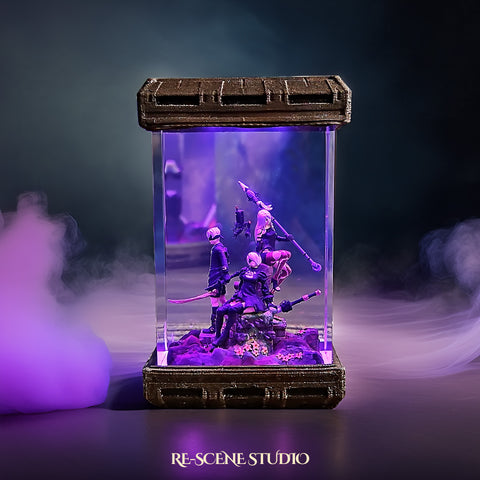
Every lamp we create carries a piece of our heart — a small universe of light, resin, and imagination, handcrafted in our workshop for someone across the world who shares our love for these stories.