



![[FATHER'S DAY] Ember Glow Ticket | $6.68 — Handcrafted Epoxy Resin LED Lamp | Unique Ambient Decor & Collector's Gift](http://rescenestudio.com/cdn/shop/files/Lucky_Star_Ticket_NYE_2026_c61361fc-ea06-4a31-8379-e16ed7d47902.jpg?v=1767177179&width=320)


Desk Ambiance 101: How Lighting Transforms Your Workspace

Your desk is where you spend 8, 10, sometimes 12 hours a day. You've invested in the monitor, the chair, the keyboard. But the lighting? Most people never think about it until their eyes hurt at 9 PM and they can't figure out why.
Desk lighting isn't about buying an expensive lamp. It's about understanding how light affects your eyes, your energy, and your mood, then setting up a system that works with your body instead of against it. The difference between a well-lit workspace and a poorly lit one is the difference between finishing your day exhausted or finishing it feeling like you could keep going.
Here are the desk lighting ideas that actually make a difference, from a $30 starter setup to a $300 dream desk, with specific products and placement tips at every level.
Why Your Current Desk Lighting Probably Isn't Working
Most home offices have one of two problems: too much overhead light, or not enough light at all. The overhead ceiling fixture that came with your room was designed to illuminate a hallway, not support 10 hours of focused screen work. It throws light straight down, creates glare on your monitor, and casts shadows exactly where your hands are working.
The other extreme is working in near-darkness with only your screen as a light source. This feels cozy for about 20 minutes. Then your pupils start fighting between the bright screen and the dark room around it, a phenomenon called "contrast fatigue." Your eyes are constantly adjusting, and by mid-afternoon, you'll feel the strain behind your forehead.

Research on office environments consistently shows that workers with layered, adjustable lighting report significantly fewer complaints of eye fatigue compared to those under uniform overhead fluorescents. The fix isn't complicated. You just need to think about desk lighting as a system with multiple layers, not a single fixture.
The Best Desk Lighting Ideas Start with Three Layers
Professional lighting designers work with three layers: task, ambient, and accent. Most desks only have one (usually a desk lamp or nothing). Adding all three is what separates a workspace that drains you from one that energizes you.
| Layer | What It Does | Best Options | Budget Range |
|---|---|---|---|
| Task | Focused light on your work surface | Desk lamp, monitor light bar | $15 to $120 |
| Ambient | Fills the room to reduce contrast with screen | Floor lamp, ceiling dimmer, wall sconce | $20 to $80 |
| Accent | Adds depth, warmth, and visual interest | LED strip behind desk, decorative lamp, shelf light | $10 to $60 |
Task lighting is the most critical layer. This is the light aimed directly at your work surface. A good desk lamp or a monitor light bar (like the BenQ ScreenBar at around $109) eliminates glare from your screen while lighting your keyboard and documents. If you're on a budget, an adjustable-arm desk lamp with a 4000K bulb does the job for under $25.
Ambient lighting fills the room behind and around your screen. This is what prevents the "tunnel vision" effect where your screen is the only bright thing in a dark room. A floor lamp in the corner set to a low-medium brightness (2700K to 3000K for warmth) works perfectly. Even a $15 IKEA floor lamp makes a noticeable difference.
Accent lighting is where your workspace starts to feel intentional and personal. This is the soft glow behind your monitor (bias lighting), the warm light on a shelf, or a decorative piece that catches your eye during breaks. Accent lighting doesn't help you work directly, but it changes how the space feels, and how you feel in it.

Color Temperature: The Detail Most People Get Wrong
Every light bulb has a color temperature measured in Kelvins (K). This is the single most impactful detail in desk lighting, and most people either ignore it entirely or mix temperatures that clash.
Color Temperature Quick Reference
- 2700K (warm amber): Relaxing, cozy. Best for ambient and accent lighting. Think candlelight.
- 3000K (warm white): Slightly brighter but still warm. Great all-rounder for home offices.
- 4000K (neutral white): Clean and focused. Ideal for task lighting during work hours.
- 5000K+ (cool/daylight): Energizing but harsh. Best for detail work only, not extended use.
The golden rule: your task light should be slightly cooler (3500K to 4000K) than your ambient and accent lights (2700K to 3000K). This creates a natural hierarchy where your eyes focus on the task area without the surrounding space feeling clinical. If you use the same temperature everywhere, the room feels flat. If you mix extreme temperatures (a 2700K lamp next to a 6500K overhead), your brain can't settle and you'll feel vaguely uncomfortable without knowing why.
Smart bulbs like Philips Hue let you dial exact temperatures and even shift them throughout the day. But if you're not ready for that investment, simply buying matching-temperature bulbs from the hardware store (usually $3 to $5 each) solves 90% of the problem. For a deeper breakdown, our warm vs. cool LED guide covers room-by-room recommendations.
Five Desk Setups at Every Budget
Here are five real configurations you can set up today, organized by budget.
Setup 1: The $30 Starter
One adjustable desk lamp ($15 to $20 from IKEA or Amazon) with a 4000K LED bulb. Place it on the opposite side of your dominant hand to avoid casting shadows when writing. That's it. This single change beats 90% of desk setups that rely on overhead light alone.
Setup 2: The $75 Sweet Spot
Desk lamp ($20) plus an LED strip behind your monitor ($15 to $20 for a warm white USB strip) plus a floor lamp in the corner behind you ($25 to $35). This gives you all three layers. Set the LED strip to 2700K, the floor lamp to 2700K, and the desk lamp to 4000K. You now have a workspace that looks like a design blog photo.
Setup 3: The $120 Enthusiast
Replace the basic desk lamp with a BenQ ScreenBar ($109) or similar monitor-mounted light bar. Keep the LED bias strip and add a small decorative accent lamp on your shelf. Monitor light bars are genuinely life-changing for anyone who spends 6+ hours at a screen. They light your desk surface without any glare on the monitor, which a traditional desk lamp can't always avoid.
Setup 4: The $200 Pro
BenQ ScreenBar, warm LED bias strip, floor lamp with dimmer, plus one statement accent piece. This is where you can add something that makes the space yours. A handcrafted decorative lamp on a shelf or desk corner adds both accent light and personality.

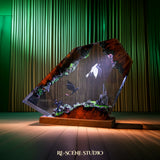
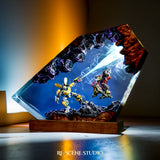
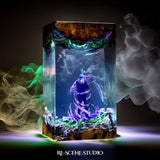
Handcrafted accent lamps like the Sunflower Glow from Rescene Studio work particularly well as desk accent pieces. They throw warm ambient light in a small radius, perfect for a shelf or desk corner, while doubling as a conversation piece. Handmade options give your workspace character that mass-produced LED strips simply can't match.
Setup 5: The $300+ Dream Desk
Everything from Setup 4, plus Philips Hue smart bulbs in your ambient sources so you can shift color temperature throughout the day (cooler in the morning, warmer in the evening). Add a second monitor arm lamp if you have dual screens. At this level, your workspace adapts to you, not the other way around.
Mistakes That Ruin Even Good Setups
You can buy all the right equipment and still get it wrong. These are the most common mistakes that sabotage otherwise decent desk lighting.
Placing the desk lamp behind the monitor. This creates a bright hotspot directly behind the screen that your eyes constantly fight against. Task lighting belongs to the side or directly above (via a light bar), never behind the screen.
Using a lamp with a harsh bare bulb. Exposed LED bulbs create pinpoint glare that's painful to catch in your peripheral vision. Use lamps with diffusers, frosted shades, or indirect bounced light. Your eyes will thank you.
Forgetting about the wall behind the screen. If your monitor faces a dark wall, the contrast between the bright screen and dark wall accelerates eye fatigue. Either add bias lighting behind the monitor or paint the wall a light neutral color that reflects some ambient light back. Even a $10 USB LED strip behind your monitor solves this completely.

Ignoring glare on the screen. If you can see the reflection of your desk lamp in your monitor, the lamp is in the wrong position. Angle it lower, move it further to the side, or switch to a monitor-mounted bar that eliminates this problem by design.
For more lighting principles that apply to every room (not just your desk), check out our guide on 5 lighting mistakes that make any room look cheap.
Frequently Asked Questions
Featured Resin Lamps
Handcrafted with care — each one unique



Every lamp we create carries a piece of our heart — a small universe of light, resin, and imagination, handcrafted in our workshop for someone across the world who shares our love for these stories.